




























































































































































































































































































































































































































































































































































































































































































































































































































































































































































































































































































































































































































































































































































































































































































































































































































































































































































































































































































































































































































































































































































































































































































































































































































































































How to Use WhatsApp Without a SIM Card: A Complete Guide


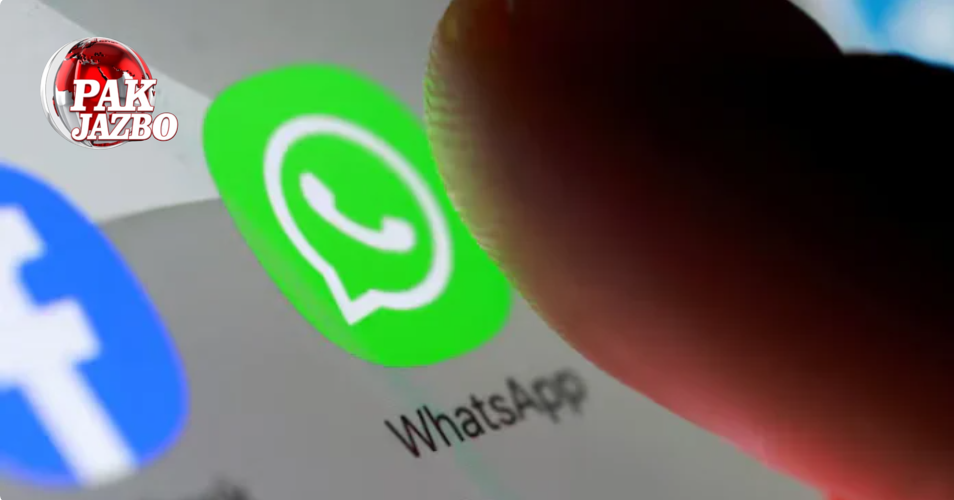
WhatsApp, the world’s most popular instant messaging application, is usually associated with a mobile number and a SIM card. Most people believe that it cannot be used without inserting a valid SIM into the phone. However, very few know that it is indeed possible to use WhatsApp without having a SIM card installed on your device.
Yes, you read that right! You can continue using WhatsApp even if there is no SIM card in your phone. The process is not as complicated as it sounds, and there are multiple methods that allow you to achieve this.
Of course, it must be understood that in order to initially activate WhatsApp, you do need a number for verification purposes. However, the number does not necessarily have to be the one associated with the SIM card inside your mobile device. The verification can be done using a landline number, a virtual phone number, or even the phone number of a friend or family member. Once WhatsApp has been successfully activated, you will no longer need the SIM card, since the app functions seamlessly over Wi-Fi or any other internet connection.
Method 1: Using a Landline Number
One of the simplest ways to activate WhatsApp without a SIM card is by using your landline number. The process involves just a few steps:
- Download and install WhatsApp from the Google Play Store or Apple App Store.
- When asked to provide a mobile number for registration, enter your landline number instead.
- Since landline numbers cannot receive SMS, the SMS verification attempt will fail.
- After the failure, select the option “Call me.”
- WhatsApp will then place an automated voice call to your landline number, dictating a six-digit verification code.
- Enter this code into WhatsApp to complete the setup.
Once verified, your WhatsApp account will be linked to your landline number, and you can start chatting, making calls, and sharing media just like any regular user.
Method 2: Using a Virtual Phone Number
The second method involves virtual phone numbers, which are increasingly popular for people who need additional flexibility in communication. A virtual phone number is not tied to any physical SIM card or device; instead, it operates online. You can send and receive calls or SMS through specific apps and services.
Some of the most widely used services for virtual numbers include:
- Google Voice
- TextNow
- Dingtone
Here’s how you can use one:
- Sign up for one of the above virtual number services and obtain a number.
- Note down this virtual number carefully.
- Open WhatsApp and enter this number when prompted for registration.
- Wait for the SMS verification code. If the SMS fails, once again select “Call me.”
- Enter the code you receive via the virtual service into WhatsApp.
And just like that, WhatsApp will be activated using a virtual number. This method is particularly useful for people who frequently travel or those who wish to maintain a second WhatsApp account without purchasing an additional SIM card.
Method 3: Using a Friend’s or Family Member’s Number
Suppose you don’t have access to a landline or a virtual number. In that case, you can still verify your WhatsApp account by borrowing the phone number of a trusted friend or family member. This method is straightforward:
- When registering on WhatsApp, enter your friend or family member’s mobile number.
- They will receive the SMS verification code on their device.
- Ask them to share the code with you.
- Enter the code into your WhatsApp setup.
Your WhatsApp account will now be registered on their number, but you can use it independently on your device via Wi-Fi or any internet connection. It’s worth noting, however, that this may cause confusion if your contact list also communicates with the friend or family member’s actual WhatsApp. Therefore, it’s best to use this method with caution and transparency.
Why Use WhatsApp Without a SIM Card?
There are several scenarios where using WhatsApp without a SIM card proves useful:
- Lost or damaged SIM card: If your SIM is misplaced or broken but you still have internet access, WhatsApp remains accessible.
- Multiple accounts: Many users prefer to run a second WhatsApp account for business purposes without investing in another SIM.
- International travelers: When traveling abroad, purchasing a local SIM is costly and inconvenient. Activating WhatsApp once allows you to keep using it without worrying about roaming charges.
- Children or elderly users: Parents may want to provide their children with WhatsApp access over Wi-Fi without giving them an active SIM card. Similarly, elderly family members can use WhatsApp at home through Wi-Fi only.
Important Considerations
While it is possible to use WhatsApp without a SIM card, users should keep a few points in mind:
- Initial verification is mandatory: No matter which method you choose, WhatsApp requires a one-time verification code linked to a phone number.
- Ongoing accessibility: Once verification is complete, you don’t need the SIM card anymore. WhatsApp will continue to function as long as you have internet access.
- Privacy concerns: Using someone else’s number could cause confusion or privacy risks, especially if they use the same number for their own WhatsApp.
- Virtual numbers’ reliability: Some virtual number services may not always work with WhatsApp, so it may take multiple attempts or services to succeed.
Conclusion
WhatsApp’s design may seem to revolve around mobile numbers and SIM cards, but with a little creativity and the right methods, you can use the app without ever inserting a SIM into your phone. Whether it’s through a landline, a virtual number, or borrowing a number from a trusted friend, the flexibility of WhatsApp ensures you never have to miss a message, call, or update—even without a SIM card.
By understanding these methods, users can make smarter decisions about how to stay connected, especially in situations where SIM-based communication is not possible.
What’s your Reaction?
+1
+1
+1
+1
+1
+1

